Elevate Your Craft with Unique Laser Cutting Designs
Understanding Laser Cutting Designs
What are Laser Cutting Designs?
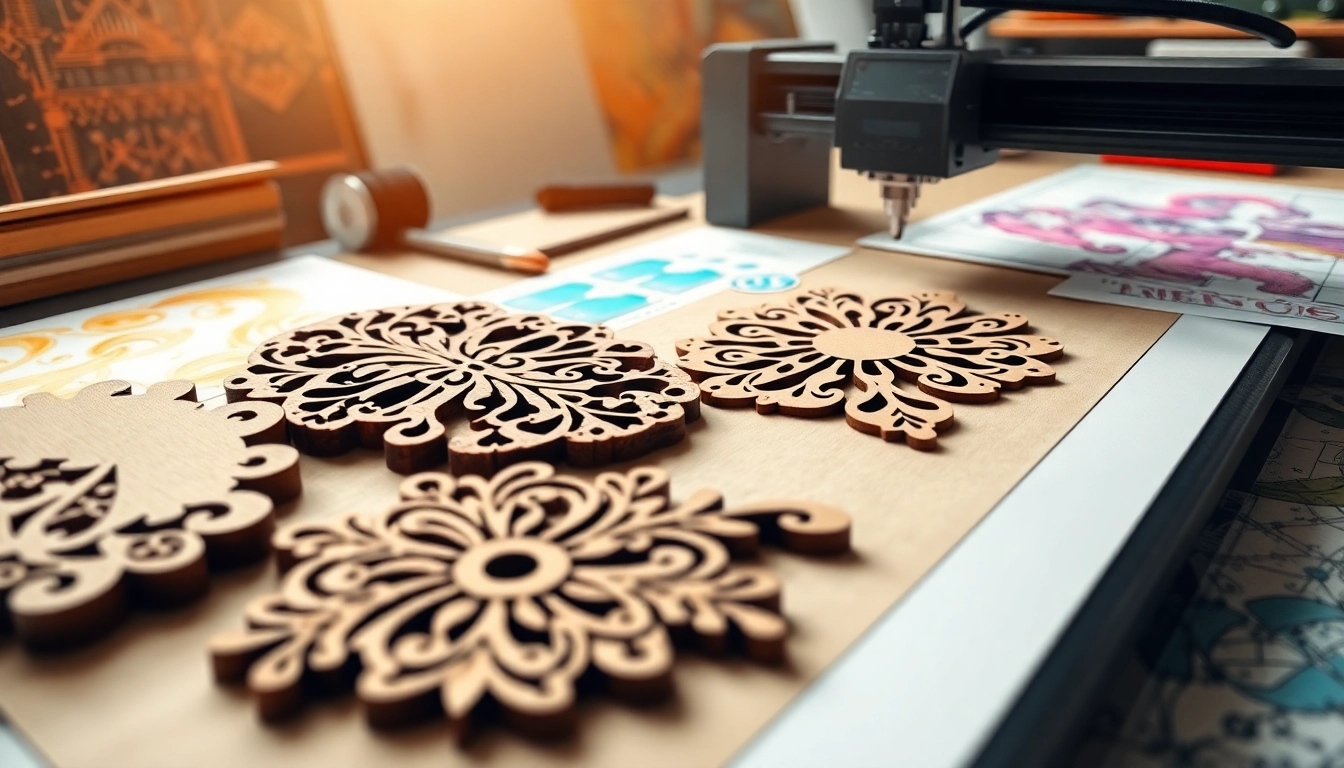
Laser cutting designs encompass a range of patterns, images, or shapes that are created using high-powered lasers to cut through various materials. This technology allows for intricate and precise cuts not achievable with traditional methods. With applications ranging from industrial manufacturing to creative arts, laser cutting designs bring about a world of possibilities for artists and engineers alike. The versatility makes them essential in numerous sectors, ensuring high-quality and repeatable results.
The Technology Behind Laser Cutting
At its core, laser cutting technology operates through the focused beam of light produced by a laser. The laser beam is emitted from a source, often a CO2 or fiber laser, and directed through a series of mirrors to focus on a specific point. The energy from the laser vaporizes, melts, or blows away material, depending on the speed, power, and type of material being processed. This method allows for exceptional precision, with tolerances as tight as ±0.001 inches, making it an optimal choice for creating laser cutting designs that require high detail.
Applications of Laser Cutting Designs
There is a vast array of applications for laser cutting designs across different industries. In manufacturing, components are fabricated for electronics, automotive parts, and aerospace engineering. In the world of crafts and arts, wood, acrylic, and fabric can be intricately cut or engraved, leading to personalized home decor, jewelry, and promotional items. In architecture, laser cutting supports the creation of model components and intricate facades. The versatility and efficiency of laser cutting designs have made it a mainstay across varied fields.
Choosing the Right Materials
Best Materials for Laser Cutting Designs
Laser cutting can be performed on a diverse selection of materials, each delivering unique aesthetics and functionality. The most popular materials include:
- Acrylic: Known for its clarity and versatility, acrylic is easy to cut and engrave, making it perfect for signs and displays.
- Wood: With various types including plywood, MDF, and hardwood, wood is favored for both cutting and engraving, resulting in beautiful, rustic items.
- Fabric: Textiles like cotton and polyester can be intricately cut for craft projects or fashion designs without fraying.
- Paper: Ideal for creating cards, cut-outs, and intricate designs in scrapbooking.
- Metal: Thick metals can also be cut using lasers, including stainless steel and aluminum, often used in signage and industrial applications.
Considerations for Material Thickness
Material thickness is a critical factor when laser cutting, as it influences the settings required for optimal results. Thicker materials generally require more power and slower cutting speeds, which can extend processing time. Conversely, thinner materials can be cut more quickly but may require adjustments to prevent burning or kerfing. Understanding the limitations and capabilities of your laser cutting machine is essential when selecting materials for your designs.
Finishing Options for Laser Cutting Designs
Once cutting is complete, enhancing the appearance and durability of laser cutting designs through finishing processes is common. Depending on the material and intended use, several finishing options include:
- Engraving: Adding depth or texture to designs can complement laser-cut shapes.
- Painting or Staining: For wood and metal, applying finishes can enhance aesthetics and provide protection.
- Polishing: Acrylic and metal surfaces can be polished to achieve a glossy finish, enhancing their reflection and overall appeal.
- Coating: Protective coatings can be applied to metal materials to prevent rust and wear.
Designing for Laser Cutting
Essential Design Principles
Designing for laser cutting necessitates an understanding of certain principles to ensure successful output. First, keep in mind the kerf or width of the cut produced by the laser, as this will affect the overall dimensions of your designs. Second, consider the material grain and its impact on the final product’s aesthetics, especially for wood and textiles. Lastly, use solid shapes and avoid intricate details that may complicate the cutting process or lead to material loss.
Software Options for Creating Designs
A range of software tools can be utilized for creating laser cutting designs, each catering to different skill levels and purposes:
- Adobe Illustrator: Widely used for vector graphics, this software is excellent for detailed design work.
- CorelDRAW: A user-friendly option, great for beginners and professionals alike.
- Inkscape: A free alternative that supports vector graphics, perfect for those on a budget.
- AutoCAD: Ideal for engineering and architectural designs, offering precision in technical drawings.
Common Mistakes to Avoid
When designing for laser cutting, practitioners often encounter several common pitfalls that can hinder quality:
- Neglecting material specifications: Always consult material guidelines to avoid poor outcomes.
- Overly intricate designs: Designs with too many small details can be challenging to cut and assemble.
- Ignoring the tolerances: Failing to account for kerf and material expansion may result in misaligned pieces.
Implementing Laser Cutting Designs
Step-by-Step Guide to Laser Cutting
Implementing laser cutting designs involves a series of well-defined steps:
- Design Creation: Utilize software to create and prepare your design in vector format.
- Material Preparation: Select and prepare the material, ensuring it’s clean and free of debris.
- Machine Setup: Adjust your laser cutter settings according to the material type and thickness.
- Testing: Conduct a trial cut on a scrap piece to ensure precision and adjust settings as necessary.
- Cutting: Once satisfied with the test result, proceed with the final cutting of the design.
- Finishing: Complete any necessary post-cutting processes like engraving or painting.
Safety Protocols During Laser Cutting
Safety is paramount when operating laser cutting equipment. Always adhere to the following protocols:
- Protective Gear: Wear safety goggles specifically designed to protect against laser exposure.
- Ventilation: Ensure adequate ventilation to avoid hazardous fumes emitted during cutting.
- Emergency Procedures: Be familiar with emergency shutdown procedures and maintain accessibility to fire extinguishers.
Maintaining Your Equipment and Designs
Regular maintenance of your laser cutting equipment is essential to ensure longevity and optimal performance. This includes:
- Cleaning Optical Devices: Regularly clean lenses and mirrors to prevent contamination and maintain cutting efficiency.
- Software Updates: Keep your design and operating software up to date for improved features and security.
- Mechanical Maintenance: Check belts and moving parts for wear, lubricating where necessary.
Measuring Success and Future Trends
Evaluating the Impact of Laser Cutting Designs
Measuring the success of laser cutting designs can be evaluated through various metrics. Factors like production speed, quality of cuts, and customer satisfaction should be analyzed. Feedback from users or clients can provide valuable insights into any design or operational adjustments needed. Furthermore, comparing costs before and after implementing laser cutting can demonstrate profitability and efficiency improvements.
Emerging Trends in Laser Cutting
The landscape of laser cutting is continuously evolving. Innovations in technology, such as 3D laser cutting, are gaining traction, offering more intricate designs and faster processing times. Eco-friendly practices, specifically with materials that reduce waste or emissions, are becoming a priority in the industry. Moreover, the integration of artificial intelligence in design software is paving the way for smarter design suggestions and process enhancements.
Case Studies of Successful Use of Laser Cutting Designs
Evaluating real-world success stories can provide insight into the capabilities of laser cutting. For instance, a prominent case involved a furniture designer using laser cutting to create complex, interlocking wooden structures that would typically require extensive assembly. The result was a streamlined production process, reducing labor costs while increasing production speed and output quality. Another example in the fashion industry saw designers employing laser cutting techniques in garment manufacturing, enabling personalized patterns and reducing fabric waste.
FAQs About Laser Cutting Designs
1. What materials can be laser cut?
Common materials for laser cutting include acrylic, wood, textiles, paper, and metal. Each material has different properties that affect the cutting process.
2. How thick can materials be for laser cutting?
The thickness of materials that can be laser cut varies by machine. Typically, lasers can handle materials ranging from thin sheets (like paper) up to several inches thick for metals.
3. Can laser cutting designs be reused?
Yes, laser cutting designs can be reused by saving and modifying the original vector files, allowing for multiple runs of the same design.
4. What safety equipment is necessary for laser cutting?
Essential safety gear includes protective goggles, a smoke extractor or ventilator, and ensuring fire safety measures are in place.
5. What software is best for designing laser cutting projects?
Popular software options include Adobe Illustrator, CorelDRAW, and Inkscape. These programs offer tools to create precise vector graphics suitable for laser cutting.